
You Are Going To Have To Create More Content
My fear is coming true. Several years ago, I told someone that video teachers are soon going to be measured more by what their program produces in terms of content than by what they produce in terms of student outcomes. It’s happening… and it’s happening FAST!
In the 2010’s, I presented on using cellphones in the classroom to help build student engagement. I chose this for the simple fact that, prior to every state banning devices in the classroom, EVERY student had a cellphone. This meant a lot of good things could happen:
- There was no need for a closet full of cameras if your school couldn’t afford them
- You could empower students to create content any time, any where (no need to check out equipment)
- You don’t have to teach students how to use the device – you can just focus on framing, movement, etc
- Quicker turn time on projects
But the bad things happened as well:
- No longer able to buy a decent camera for less than $2k (I really miss the Canon Vixia line… a $300 camera that could stand up to students)
- You had to be careful about what you saw on a student’s phone while you helped them.
- Students could product content more quickly.
The last bad thing is the one that I think has created the change in the classroom from the school community perspective. It’s now too easy to create a piece of content that is polished enough to pass most discerning viewers and administrators!
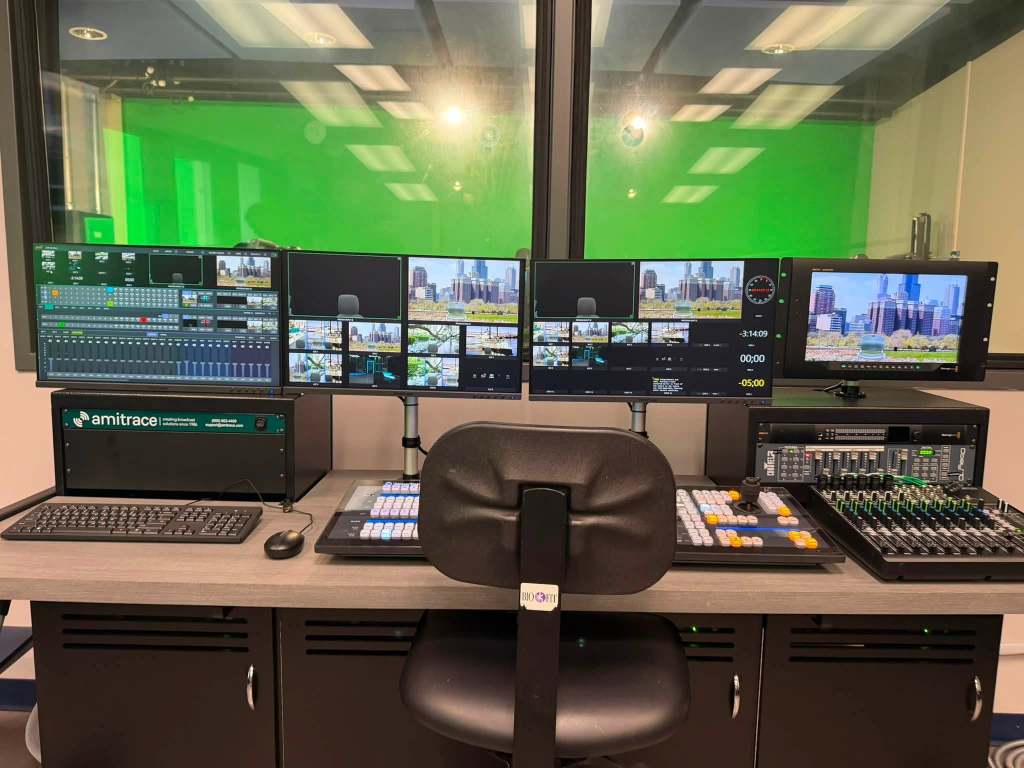
That said, I have had a recent surge in teachers building studios to leverage live production tools in order to more quickly produce content. For a lot of teachers that I work with, this is a game changer and honestly a job saver! A teacher who has focused on film production for their career now has to deal with the pressures of an admin team that sees the teacher in the next town creating tons of content to promote the school while they work on a short film that takes weeks if not months to produce. Honestly, it saddens me greatly.
BUT… I wanted to arm that film teacher and any other teacher who feels that pressure with some tools to help build some quick turn content that can be done easily to relieve those stresses.
Let’s start with the biggest difference that I have to explain as I train teachers on this workflow. Production is production. In film production, there is a good amount of work prior to filming (script, shot lists, planning, etc) and a large amount of work after filming (editing, reviews, etc). In live production 90% of the work is done prior to entering the studio (scripting, show stacking, graphic production, etc). The beauty of it is that most of the work can be templatized and the preproduction time can be reduced. The best part is that a 90 piece should take 90 seconds if you are doing the steps right.
Let’s start with terminology:
| Term | Tom’s Definition |
| Script | A broadcast script is much simpler than a film production script. There are no cues in the script. It’s just the facts written to a 5th grade level. Keep it simple and use active language only! |
| Stack | The show stack is the order in which the piece is produced. This is more important in news production than it is in shorter pieced but it is important. This is the order for your production – intro, content element 1, content element 2, outro. |
| Rundown | This is where the script and the stack come together. This document is the map for the production. The more simple details you put in the better. This tells your director/technical director what elements need to be live and what’s next. It’s the recipe for the show. |
| Director | This is the person that uses the rundown to tell everyone else what to do. Simple commands go a long way – which is why the rundown as to be complete and simple |
| Technical Director | This is the person pushing the buttons. They just do what the director tells them. A lot of times they are head down looking at a control surface or a keyboard to make sure they are hitting the correct element. |
| B-roll | B-roll is footage that supports the story being told. This is typically laid over someone talking which is known as a Voice Over |
| Voice Over | When someone is talking on screen but you see something else |
| SOT (Sound On Tape) | The newsy way of saying an interview clip |
Now that we are speaking the same language let’s go through the process.
- Know what your piece is about. It is an announcement, an interview, a full news show. Know where you are starting.
- Start stacking the show. Use a spreadsheet or a rundown creation software to make this happen. Know that this will change as you start to build more and more complex shows.
- After the stack, start writing the scripts. Notice I said scripts. Each element needs a separate script. This keeps the flow clean and allows you to move elements around as you need. The more complex your show gets, the more things will start to move in this phase.
- Create needed content. This could be video clips for b-roll, interviews (SOT), graphics, etc.
- Make sure you have all of this done before the team hits the studio – we are trying to avoid post production.
- Print the rundown
- Print scripts or load into a teleprompter
- Practice the production a couple of times, if you have the time
- Record.
- It’s not going to be perfect. Ever. It’s a part of the process. If you let perfection stop live production then you may as well close the studio and just do film stuff.
- That said, if it’s bad enough to cause a meeting, do it over. Other than that – let it go!
- Post
- Move on to something else… most likely your next production.
Now to the application of actually teaching the students. The hardest thing that I have found to explain to the students is that “yes there are a lot of moving pieces for a live production but there are a lot of people to move those pieces.” Too often students get caught up in “it’s a lot of work” and don’t see that the work is actually easy and that the creation and execution of a plan makes it really simple. When I was in the classroom, I asked all of the students to hold up their two pointer fingers. I would then say “if you can do that you are 75% of the way to producing a show.” After that, I tell them to take their right finger and point it down then back up…. Then their left. (I always have to remind a couple of which is which but that’s a learning and connection point too because I struggle with right and left too). After that, they have done 100% of the things that are required to do most of the positions. They heard a direction, they did it… That’s what most of the students have to do during a production.
I teach that only 1 person has to think… the director. And if preproduction is done right, they don’t have to think much beyond following the rundown! The director is the one calling the shots but with a solid rundown, it’s really simple. The hardest thing to get the director to do is to look one step ahead. As soon as they start an element, they need to prepare the team for the next. For example, once the camera is hot on the opening 2 shot, they need to tell the tech director (TD) to “cue” the next camera. Often what students do is watch what’s happening then try to catch up. They can watch once the next step is ready.
Here’s a list of things you can expect your director to have to say and it’s meaning:
| Term | Action/Meaning |
| Cue…. | Put the element in preview |
| Take.. | Cut to the element in preview. |
| Fade/Auto | Use the transition to the next element. This could be a fade, wipe, animation, etc |
| Push (graphic) | Make the graphic live on the air. |
| Pull (graphic) | Take the graphic off air |
So now that you know what you need to do, how do you apply it to your class. My method was simply complex. I made a spreadsheet with the positions across the top. Then, I would rotate the students through the positions. This is a little tough on the set up but will pay off after it is done. I basically put the student names in and copied and pasted to fill each row of the sheet until everyone had done every position.
When it was time, I would train the students on each role individually. Then, if I had enough students, after their rotation, they would train the replacement. IT IS A ROCKY EXPERIENCE WHEN IT STARTS. EXPECT IT TO SUCK!!! But after 3 or 4 rotations, you will know a couple of things – who can do it and who your leaders are. It’s a sneaky way to get to know the kids. You see who will break under the first sign of struggle and those who embrace it and rise to the occasion.
The key to this is that everyone does every role. I was not going to give in to a student that didn’t want to be on camera or didn’t want to run the teleprompters. We all suffered together.
It’s not easy but I assure you that when it is going and the machine starts working – it is beyond rewarding!
Here are a couple of tools that you can use to help make the training process easy:
Technical Director Trainer: The hardest part of training a TD is the fact that they have to have a “team” and something to switch on and someone to call shots. We have taken care of that with our TD training tool. Click start then do what the voice tells you. It’s a great way to not only learn the method but the variety of terminology: https://streamsemester.com/toolbox/
Story Stack And Script: I’m pretty proud of this one. The SkillsUSA Video News Production contest has been in my world for over 15 years and one of the hardest things that I have tried to explain was the process. The idea of getting a stack of random articles, stacking a show, and finally writing the scripts. This tool is as close to that process as I can get. Students will have a bank of articles to choose from (feed from RSS feeds so some are dead links- just a head’s up), they select the articles they want to use in their show, then they stack the show (make sure to add times in the rundown), finally the student is encouraged to write one of the scripts from their show. When they hit submit, they will get feedback on all of the elements. Again, it’s as close to the https://streamsemester.com/story-stack-and-script/
About the Author: Tom White
Tom White is the director of business development at Amitrace. Tom’s role is to help educators build better programs through better training, planning, and equipment. Before joining Amitrace, Tom was the Broadcast Engineer at Grady College of Journalism and Communication at the University of Georgia. Prior to that role, Tom taught at Morgan County High School and Rockdale Career Academy where he and his student produced thousands of live streams for sports, news, and community events. Tom is a member of the SkillsUSA Georgia Board of Directors and also serves as a contest tech chair for SkillsUSA Alabama and Tennessee.